In DEVELOPMENT
In DEVELOPMENT
In DEVELOPMENT
|
|
|
|
|
|
Feb 2026 - March. 2026
Feb 2026 - March. 2026
Feb 2026 - March. 2026
Redesigning how founders add agents to their AI command center
Redesigning how founders add agents to their AI command center
Redesigning
how founders add agents to their AI command center
Entry points
Entry points
Entry points
1
1
1
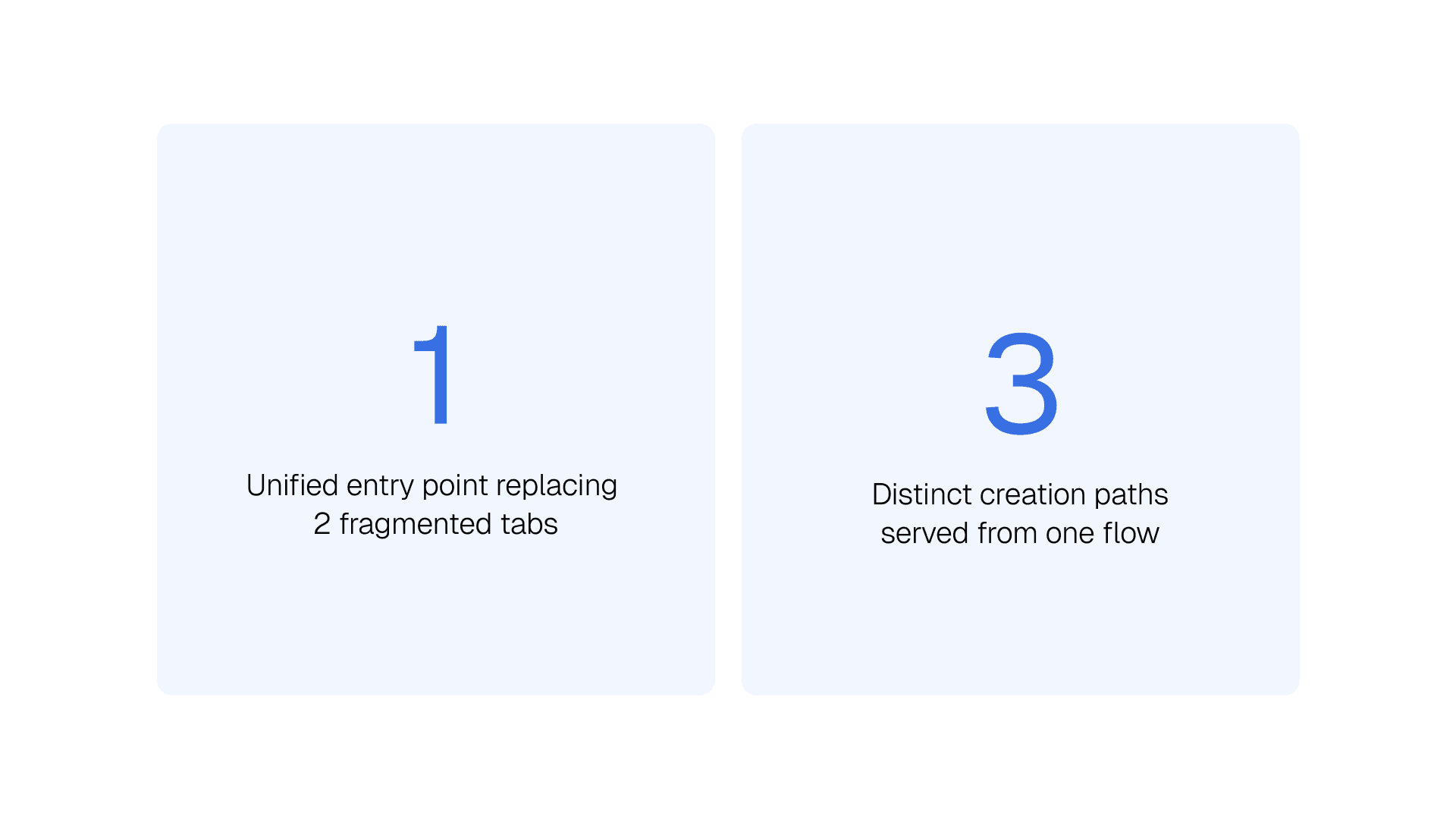
One unified creation flow
(previously 3)
One unified creation flow
(previously 3)
One unified creation flow
(previously 3)
User types served
User types served
User types served
3
3
3
Blueprint · BYOA · AI-assisted
(previously Blueprint only)
Blueprint · BYOA · AI-assisted
(previously Blueprint only)
Blueprint · BYOA · AI-assisted
(previously Blueprint only)
ROLE
ROLE
ROLE
Product Designer
Product Designer
Product Designer
TOOL
TOOL
TOOL
Figma
Figma AI
Claude Code
Reactjs
Figma
Figma AI
Claude Code
Reactjs
Figma
Figma AI
Claude Code
Reactjs
WHAT I DID
WHAT I DID
WHAT I DID
UX Research
Strategy
UI/UX Design
Usability Testing
UX Research
Strategy
UI/UX Design
Usability Testing
UX Research
Strategy
UI/UX Design
Usability Testing
TEAM
TEAM
TEAM
Founder + 2 Eng
Founder + 2 Eng
Founder +
2 Eng
01 — Context & Overview
01 — Context & Overview
01 — Context & Overview
What is Starbase and why does this matter?
What is Starbase and why does this matter?
Starbase is a desktop application built for founders and technical teams to deploy, manage, and orchestrate AI agents and workflows. Think of it as mission control for AI, agents run automated tasks, tools connect external services, and managers coordinate everything at scale.
The product had strong bones, a confident dark aesthetic, a solid sidebar navigation, and a working agent management screen. But one area was quietly creating serious friction: how users get an agent into the system in the first place. That creation experience was fragmented, confusing, and missing entire user journeys. I was brought in to redesign the experience.
Starbase is a desktop application built for founders and technical teams to deploy, manage, and orchestrate AI agents and workflows. Think of it as mission control for AI, agents run automated tasks, tools connect external services, and managers coordinate everything at scale.
The product had strong bones, a confident dark aesthetic, a solid sidebar navigation, and a working agent management screen. But one area was quietly creating serious friction: how users get an agent into the system in the first place. That creation experience was fragmented, confusing, and missing entire user journeys. I was brought in to redesign the experience.
02 — Problem Statement
02 — Problem Statement
What problem are we actually solving?
What problem are we actually solving?
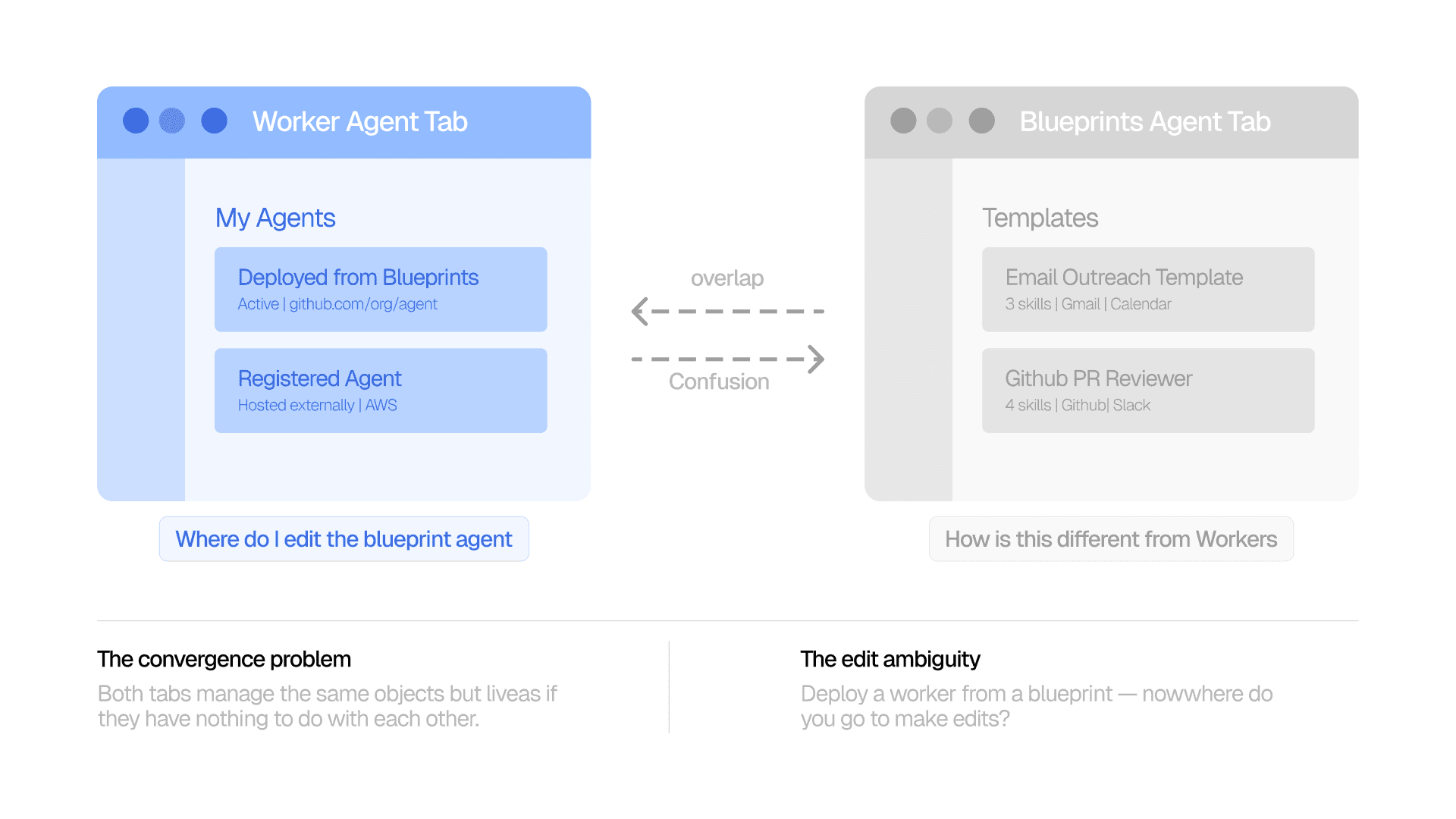
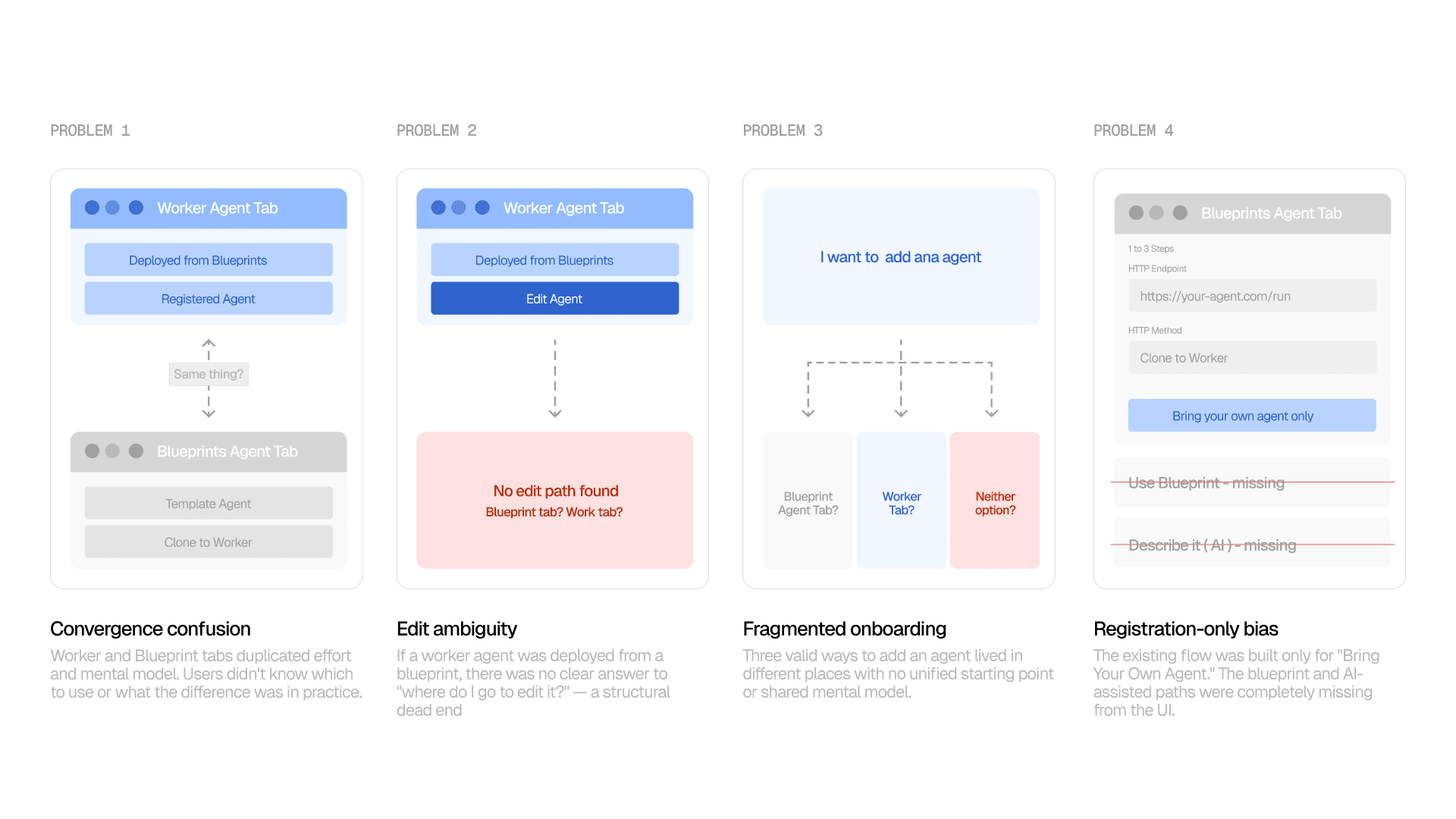
When I mapped the existing product in FigJam, a structural problem emerged immediately. Starbase had two separate navigation items — Worker Agents and Blueprint Agents — that were conceptually converging into the same thing but designed as if they were completely separate objects.
The deeper issue: there were three valid ways to add an agent to Starbase (blueprint, external endpoint, or AI-generated) but no unified entry point for any of them. Users had to know which tab to navigate to before they could even begin — and neither tab covered all three paths.
When I mapped the existing product in FigJam, a structural problem emerged immediately. Starbase had two separate navigation items — Worker Agents and Blueprint Agents — that were conceptually converging into the same thing but designed as if they were completely separate objects.
The deeper issue: there were three valid ways to add an agent to Starbase (blueprint, external endpoint, or AI-generated) but no unified entry point for any of them. Users had to know which tab to navigate to before they could even begin — and neither tab covered all three paths.
Who is the user?
Who is the user?
Who is the user?
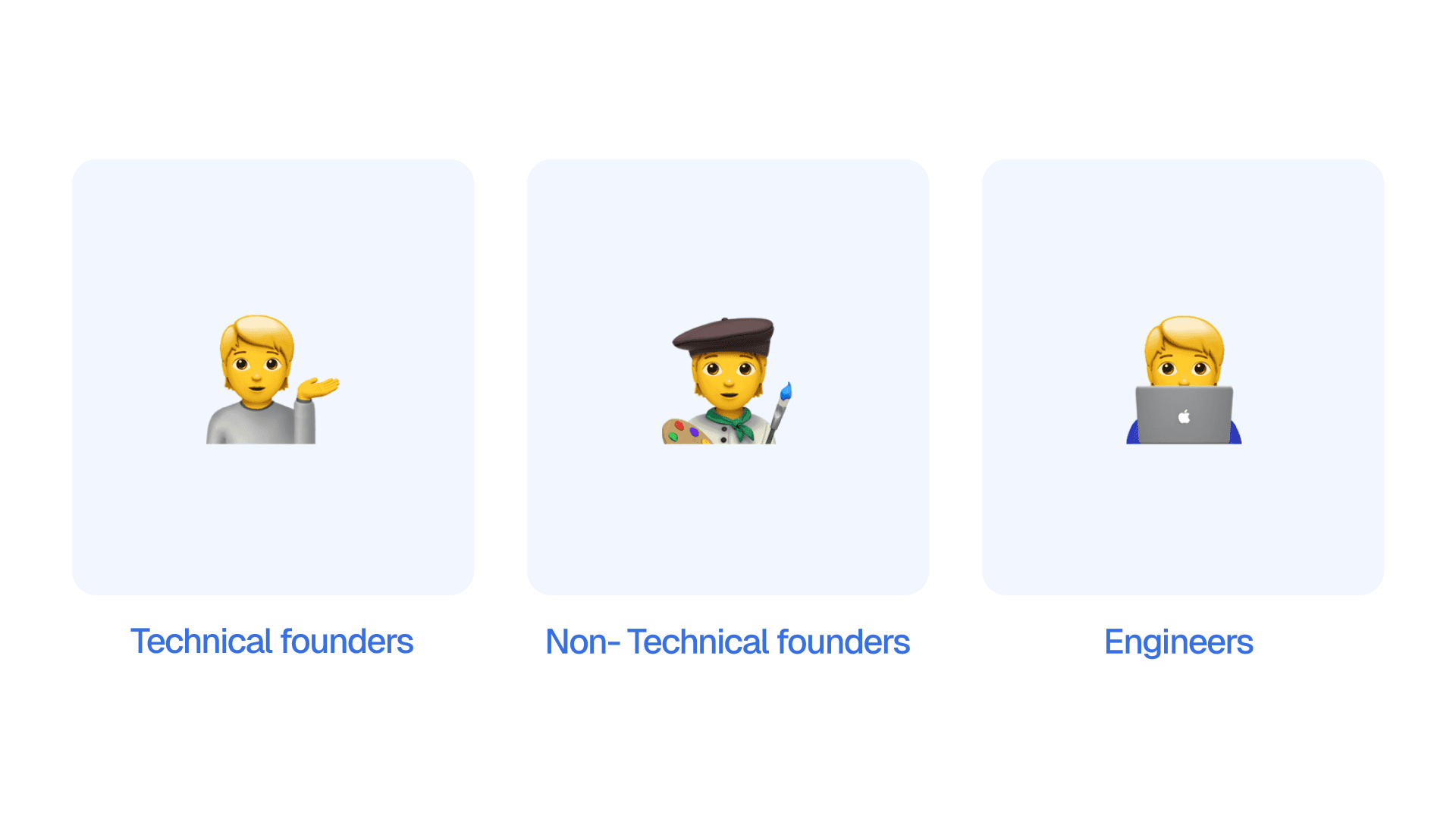
Technical founders who build and operate agents themselves. Non-technical founders who need to delegate but don't want to write code. Engineers who already have agents running on AWS or GCP and want to register them in Starbase.
Technical founders who build and operate agents themselves. Non-technical founders who need to delegate but don't want to write code. Engineers who already have agents running on AWS or GCP and want to register them in Starbase.
Why does it matter?
Why does it matter?
Why does it matter?
Adding the first agent is the moment of highest user intent in the product. If that experience is confusing, users don't come back. For a product whose entire value prop is agent orchestration, a broken creation flow is an existential UX problem.
Adding the first agent is the moment of highest user intent in the product. If that experience is confusing, users don't come back. For a product whose entire value prop is agent orchestration, a broken creation flow is an existential UX problem.
03 — Research & Insights
03 — Research & Insights
Lightweight, targeted, and honest about its limits
Lightweight, targeted, and honest about its limits
This was a sprint project. The research phase was constrained by time, not ignored, but deliberately scoped. I focused on three sources that would give me the highest signal for the structural decisions I needed to make: a founder session, a product audit, and a user type analysis.
The tradeoff was speed over breadth: high confidence in the IA decisions, lower confidence in copy and visual hierarchy choices, which is why iteration went through four rounds of team review rather than user testing.
This was a sprint project. The research phase was constrained by time, not ignored, but deliberately scoped. I focused on three sources that would give me the highest signal for the structural decisions I needed to make: a founder session, a product audit, and a user type analysis.
The tradeoff was speed over breadth: high confidence in the IA decisions, lower confidence in copy and visual hierarchy choices, which is why iteration went through four rounds of team review rather than user testing.
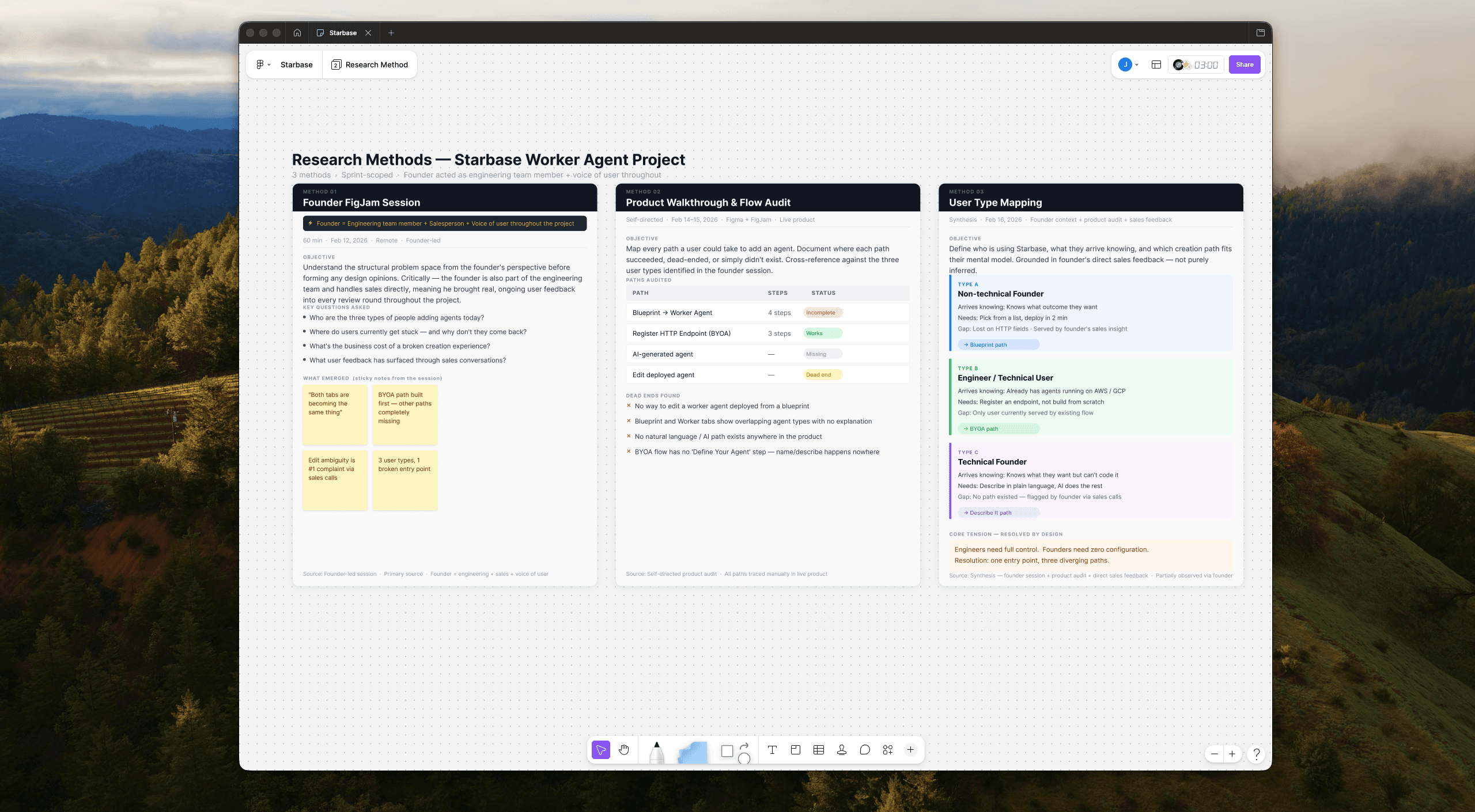
What the research surfaced
What the research surfaced
Three distinct mental models, all hitting the same broken entry point.
Three distinct mental models, all hitting the same broken entry point.
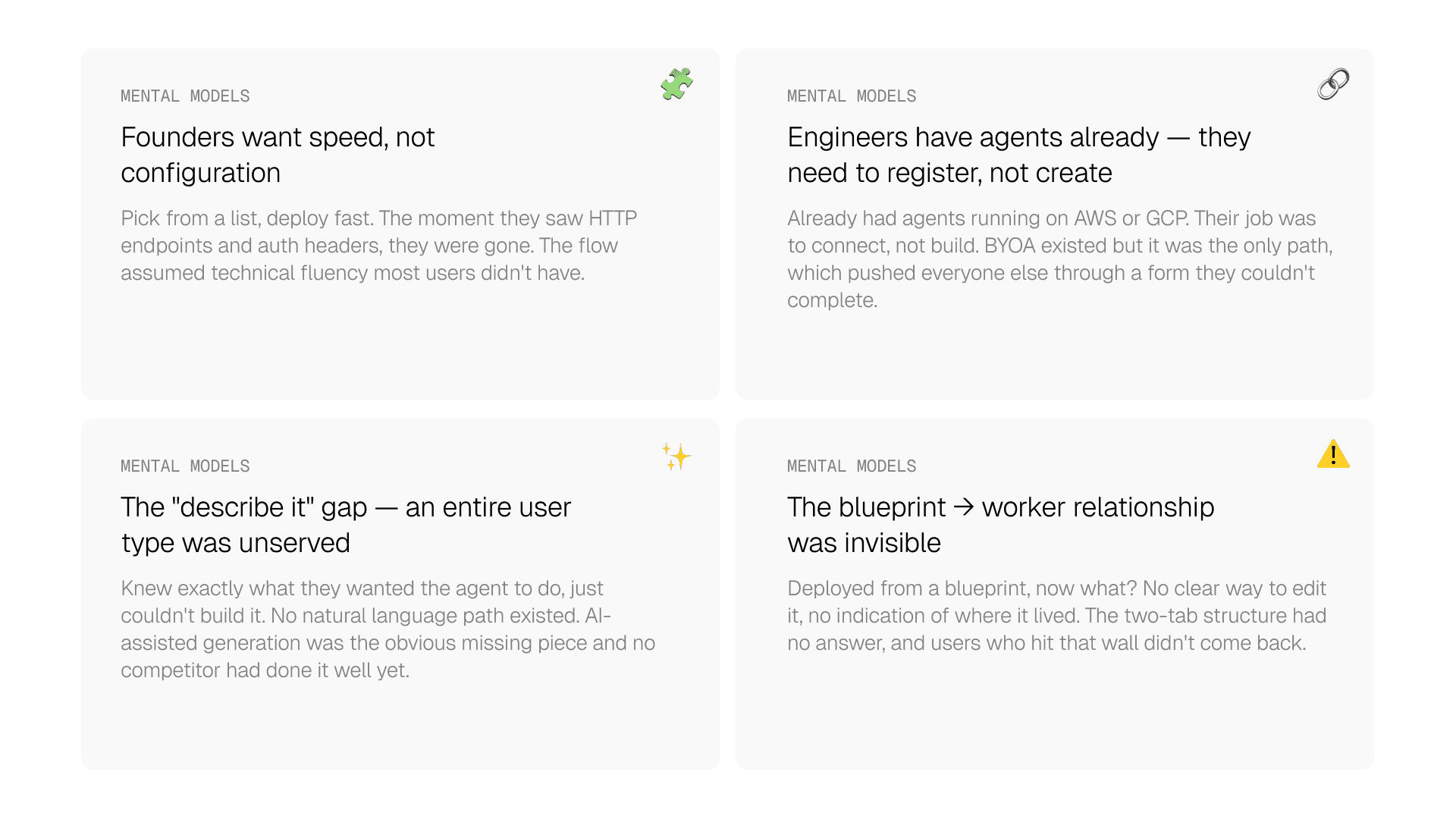
"AI workflows are structured systems, but users were being forced to interact with them through two unstructured, competing tabs."
"AI workflows are structured systems, but users were being forced to interact with them through two unstructured, competing tabs. "
"AI workflows are structured systems, but users were being forced to interact with them through two unstructured, competing tabs."
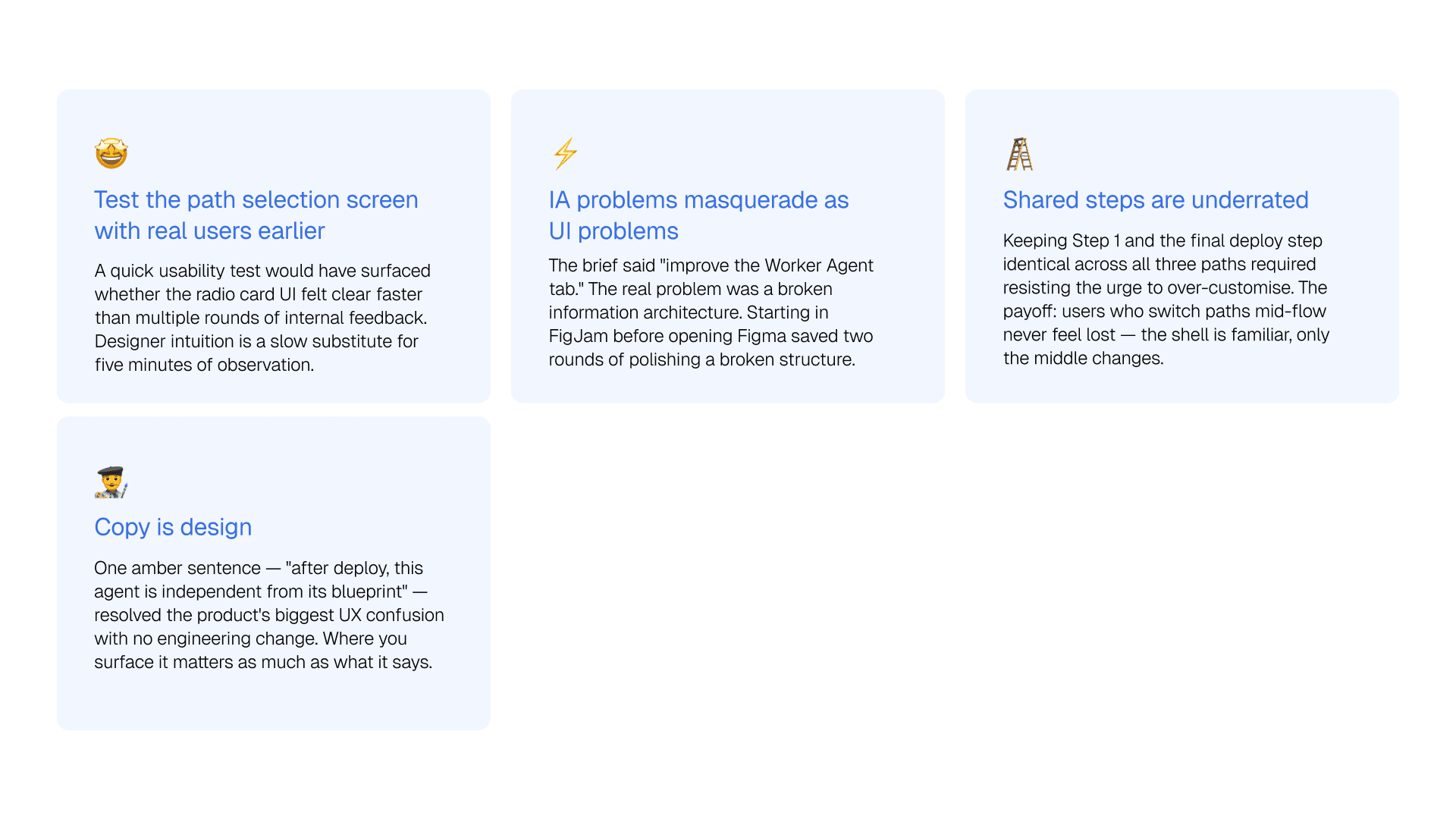
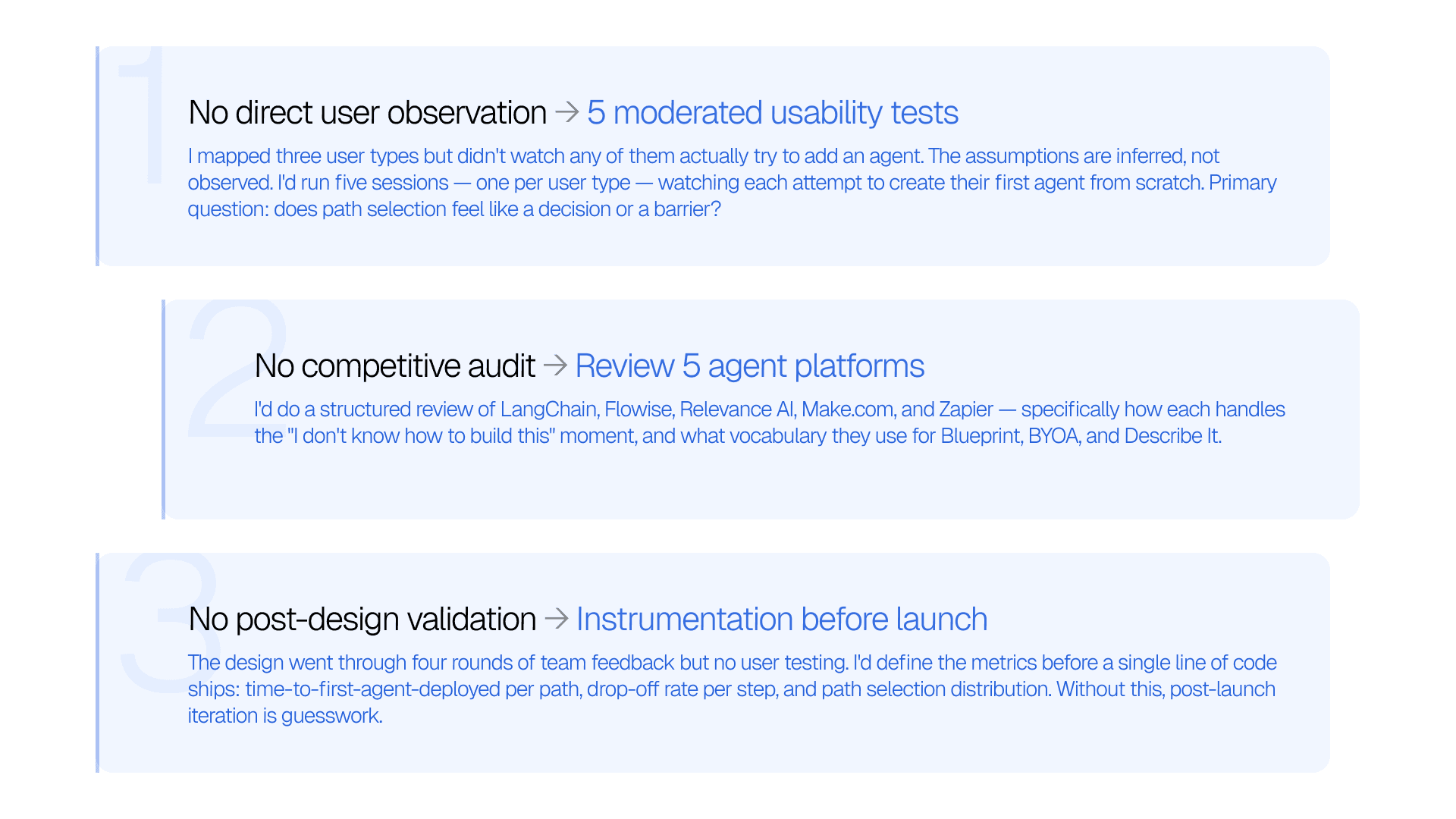
What I didn't do and what I'd do instead
What I didn't do and what I'd do instead
Being honest about research gaps is part of the work. Three things were missing and here's exactly how I'd address each one.
Being honest about research gaps is part of the work. Three things were missing and here's exactly how I'd address each one.
04 — Ideation & Exploration
04 — Ideation & Exploration
Mapping the flow before designing the screens
Mapping the flow before designing the screens
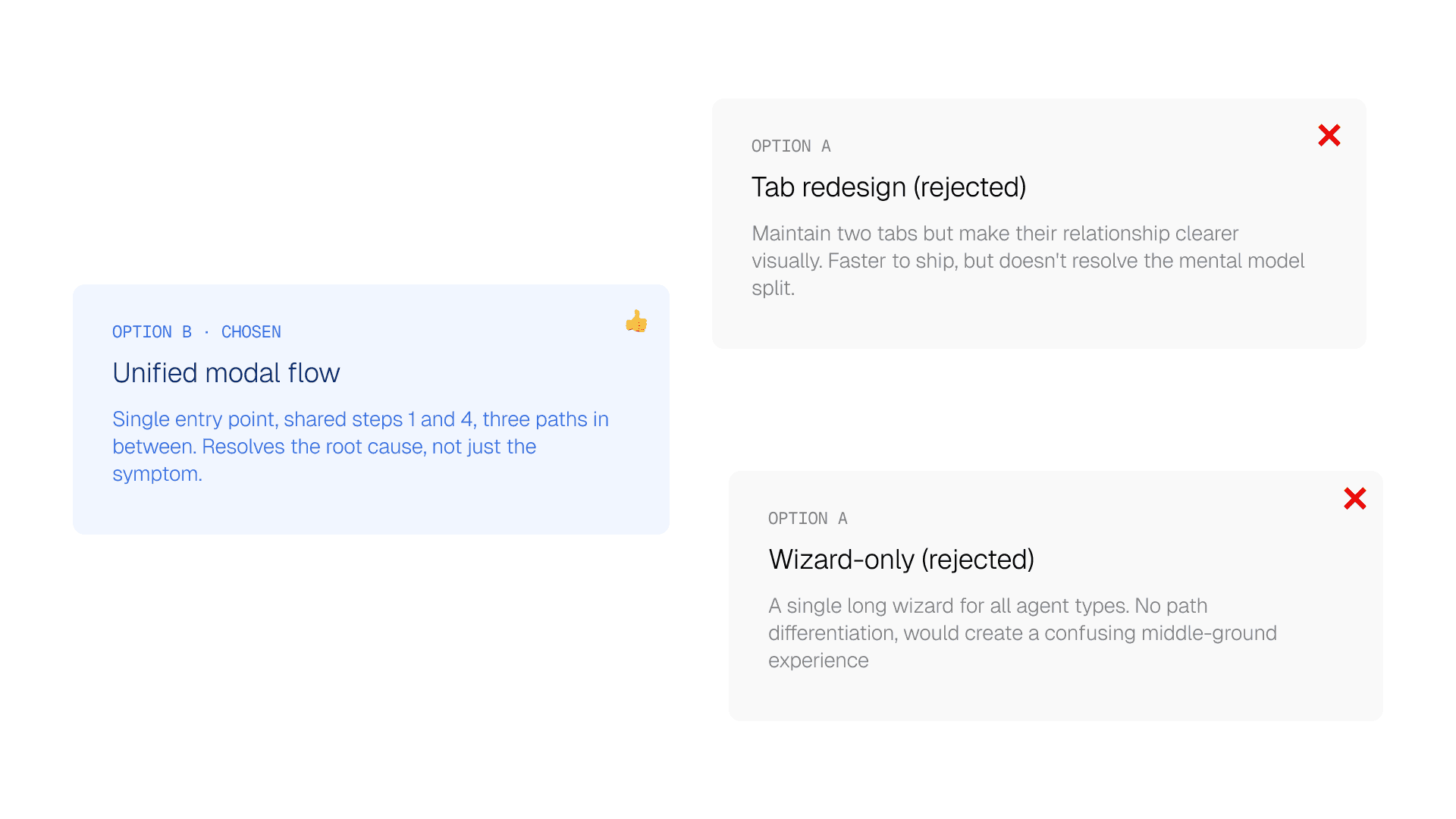
Before touching Figma, I mapped the proposed information architecture in FigJam. The core structural decision came early and shaped everything downstream: collapse both tabs into one unified "Build or Register an Agent" flow with three distinct paths.
Before touching Figma, I mapped the proposed information architecture in FigJam. The core structural decision came early and shaped everything downstream: collapse both tabs into one unified "Build or Register an Agent" flow with three distinct paths.
Before touching Figma, I mapped the proposed information architecture in FigJam. The core structural decision came early and shaped everything downstream: collapse both tabs into one unified "Build or Register an Agent" flow with three distinct paths.
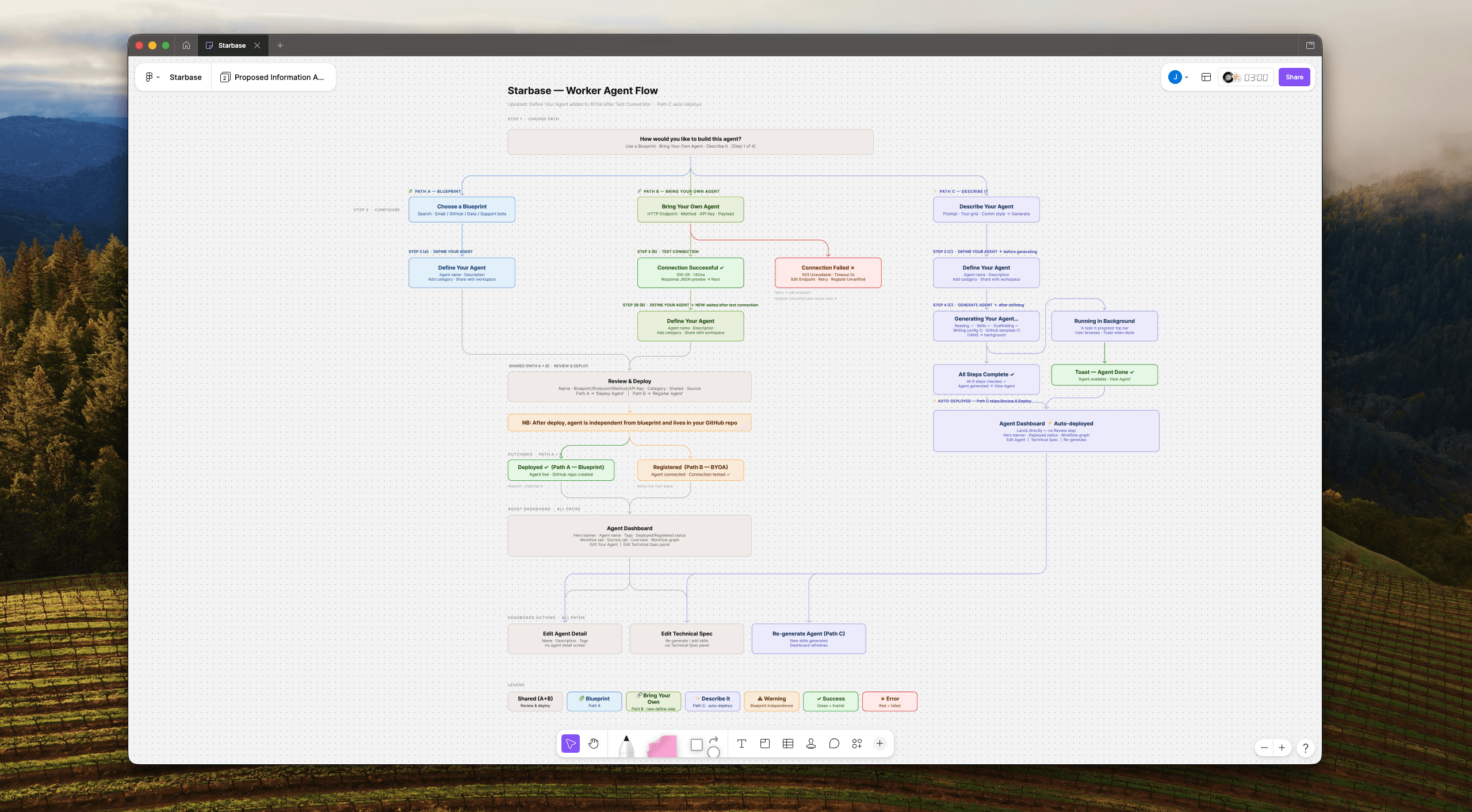
Key architectural decisions after team review: Choose Path moves to Step 1 — users pick their journey before naming anything, reducing early cognitive load. The Describe It path auto-deploys on generation completion, landing users directly on the Agent Dashboard. From there they can edit via the agent detail screen or re-generate added skills via the Technical Spec panel.
Tradeoff explored
Tradeoff explored
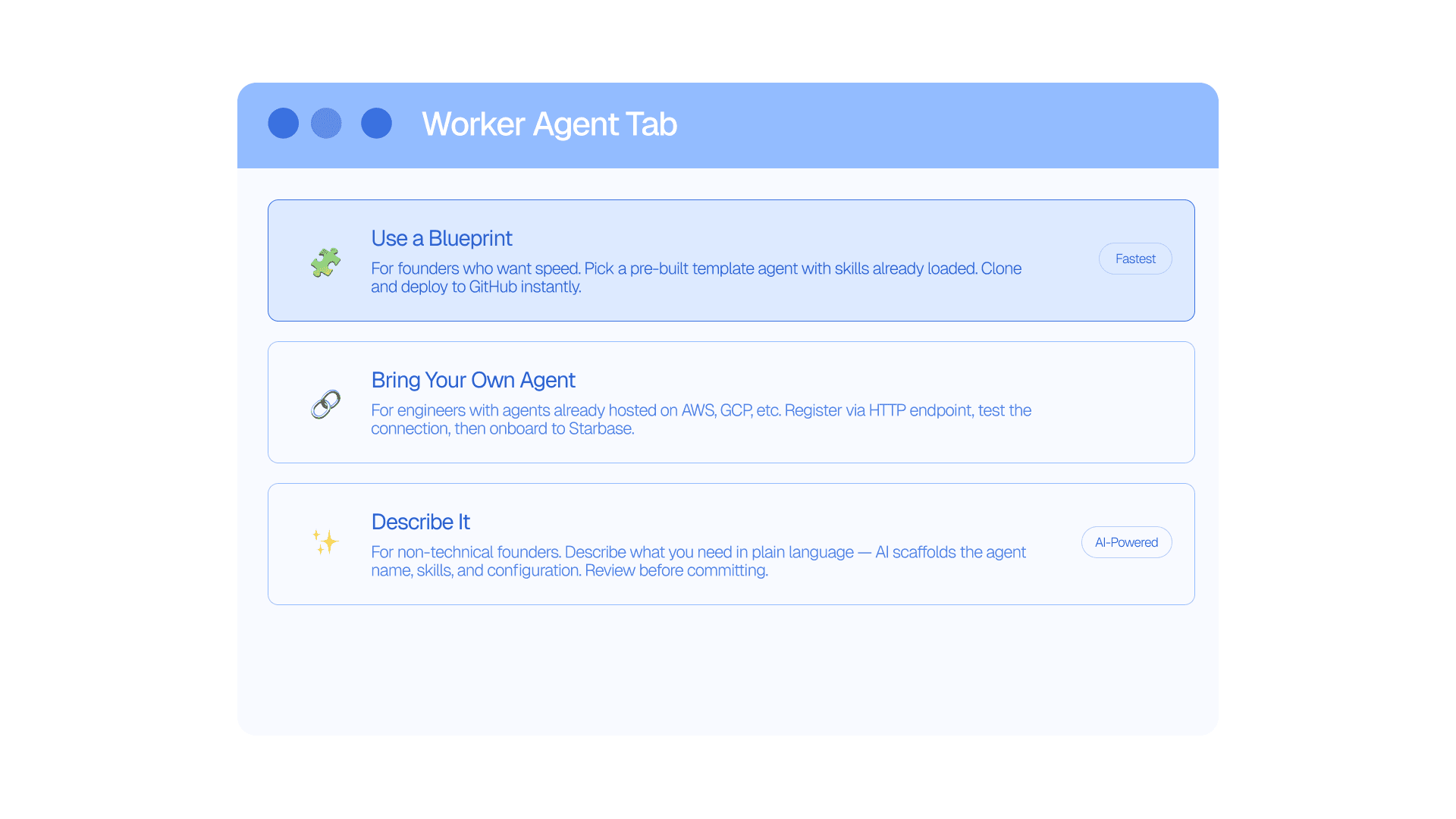
Three paths, three user types
Three paths, three user types
05 — Design Execution
05 — Design Execution
Three paths. One system. Evolved by the team.
Three paths. One system. Evolved by the team.
After the first round of screens, the team came back with meaningful structural changes, the step order was flipped, Path C gained its own definition step before generation, and the Agent Dashboard became a fully designed post-deploy destination. All screens are built on the Starbase / DeepModel design system with full auto-layout in Figma.
After the first round of screens, the team came back with meaningful structural changes, the step order was flipped, Path C gained its own definition step before generation, and the Agent Dashboard became a fully designed post-deploy destination. All screens are built on the Starbase / DeepModel design system with full auto-layout in Figma.
Step 1 — Choose your path (now the first screen)
Step 1 — Choose your path (now the first screen)
After the team review, path selection moved to Step 1. Users choose how they want to build before they name anything. The first decision shapes the entire journey; it should come first, not after an unnecessary naming step that gave users no context yet.
After the team review, path selection moved to Step 1. Users choose how they want to build before they name anything. The first decision shapes the entire journey; it should come first, not after an unnecessary naming step that gave users no context yet.
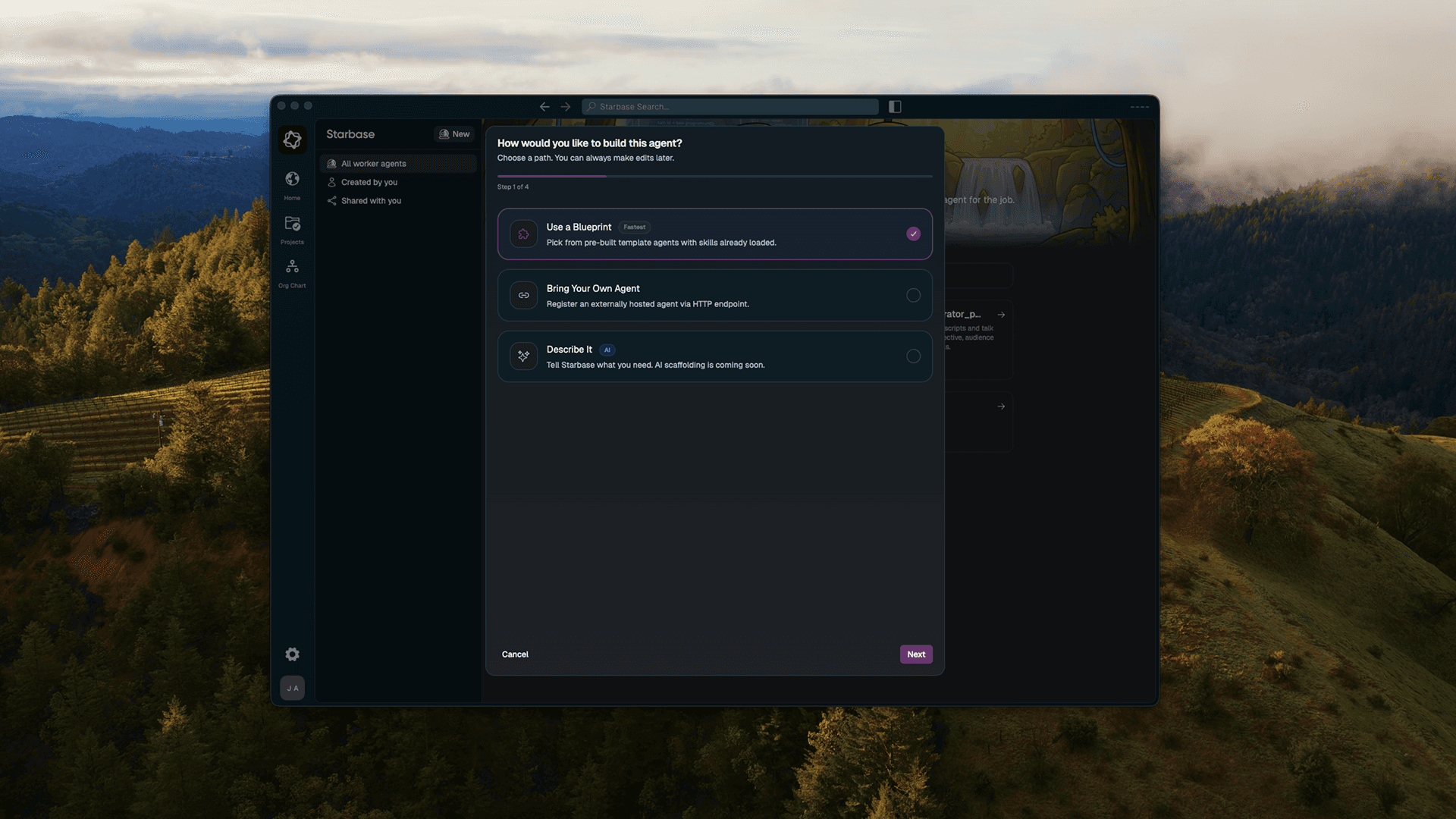
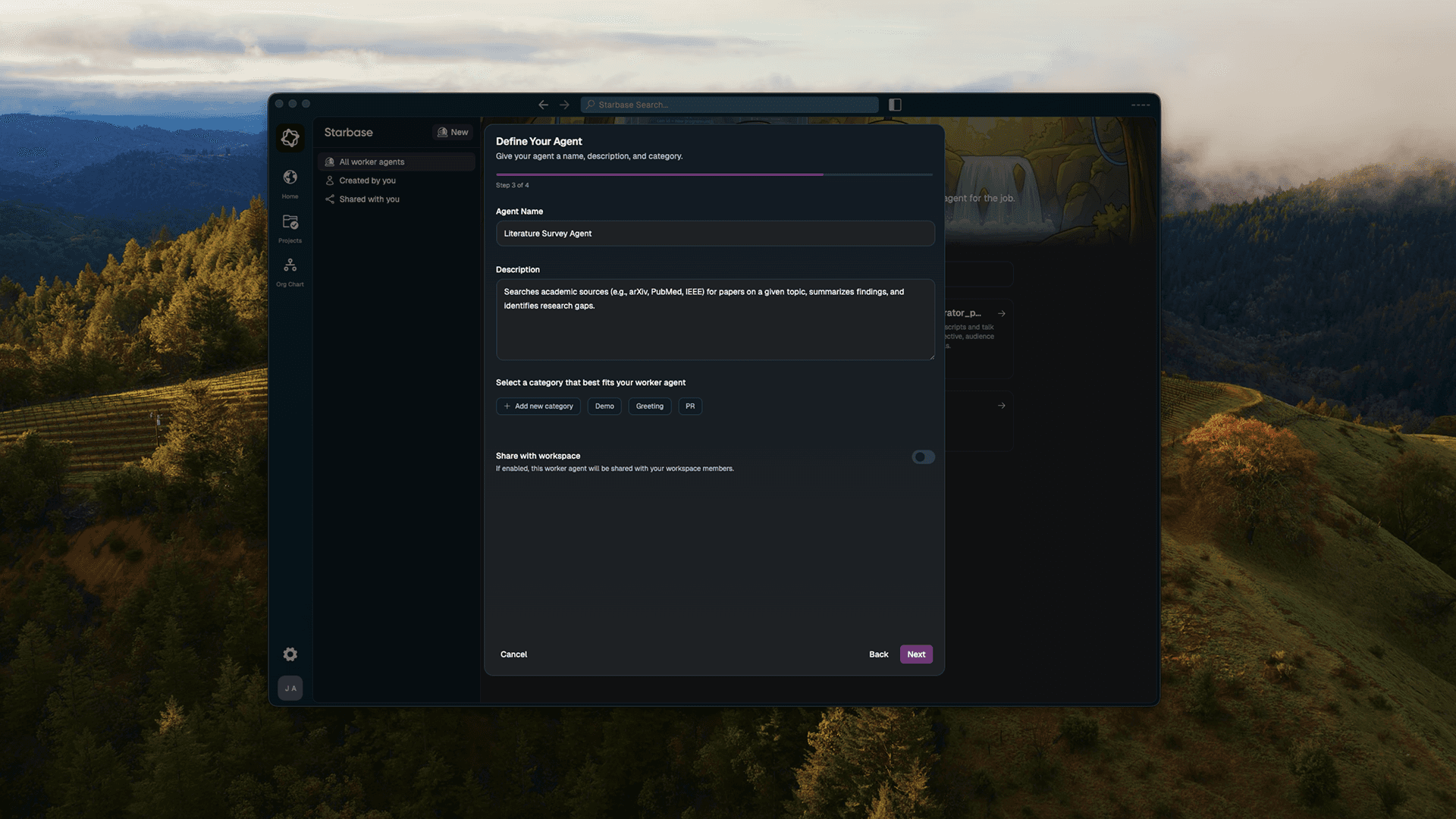
Step 1 of 4 — path selection is now the very first screen and Step 3 of 4 — Define Your Agent is now shared step
Step 1 of 4 — path selection is now the very first screen and Step 3 of 4 — Define Your Agent is now shared step
Path A — Blueprint Gallery
Path A — Blueprint Gallery
Blueprint selection is a searchable list; each card shows template name, connected tools, and a skill count badge. After defining the agent, users hit Review & Deploy, where an amber note makes the blueprint independence explicit at the moment of commitment. The CTA is now "Deploy Agent" cleaner language for non-technical users.
Blueprint selection is a searchable list; each card shows template name, connected tools, and a skill count badge. After defining the agent, users hit Review & Deploy, where an amber note makes the blueprint independence explicit at the moment of commitment. The CTA is now "Deploy Agent" cleaner language for non-technical users.
Path B — Bring Your Own Agent
Path B — Bring Your Own Agent
For engineers with agents already running on AWS or GCP. The flow collects the HTTP endpoint, method, API key, and example payload — then runs a live connection test. Success shows 200 OK with a JSON response preview. Failure gives three recovery options: edit the endpoint, retry, or register unverified for agents behind firewalls.
For engineers with agents already running on AWS or GCP. The flow collects the HTTP endpoint, method, API key, and example payload — then runs a live connection test. Success shows 200 OK with a JSON response preview. Failure gives three recovery options: edit the endpoint, retry, or register unverified for agents behind firewalls.
Path C — Describe it
Path C — Describe it
Natural language prompt → AI scaffolds the agent. A loading step shows five generation stages ticking off in real time. The preview screen surfaces the generated agent name (editable, active blue border), each skill card with description and "+ Add skill" affordance, and a "Regenerate" button. Nothing is committed until the user explicitly approves.
Natural language prompt → AI scaffolds the agent. A loading step shows five generation stages ticking off in real time. The preview screen surfaces the generated agent name (editable, active blue border), each skill card with description and "+ Add skill" affordance, and a "Regenerate" button. Nothing is committed until the user explicitly approves.
Agent Dashboard — the new post-deploy destination
Agent Dashboard — the new post-deploy destination
After team review, the Agent Dashboard became a fully designed screen — not just an implied endpoint. All three paths land here after deploy. It shows the agent name, description, tags, Deployed status, and a Workflow graph showing the agent's execution node chain. Path C users additionally have the Technical Spec panel — re-generate or add skills without going back through the full creation flow.
After team review, the Agent Dashboard became a fully designed screen — not just an implied endpoint. All three paths land here after deploy. It shows the agent name, description, tags, Deployed status, and a Workflow graph showing the agent's execution node chain. Path C users additionally have the Technical Spec panel — re-generate or add skills without going back through the full creation flow.
05B — from figma to interactive prototype
05B — from figma to interactive prototype
I didn't just design the flow — I built it.
I didn't just design the flow — I built it.
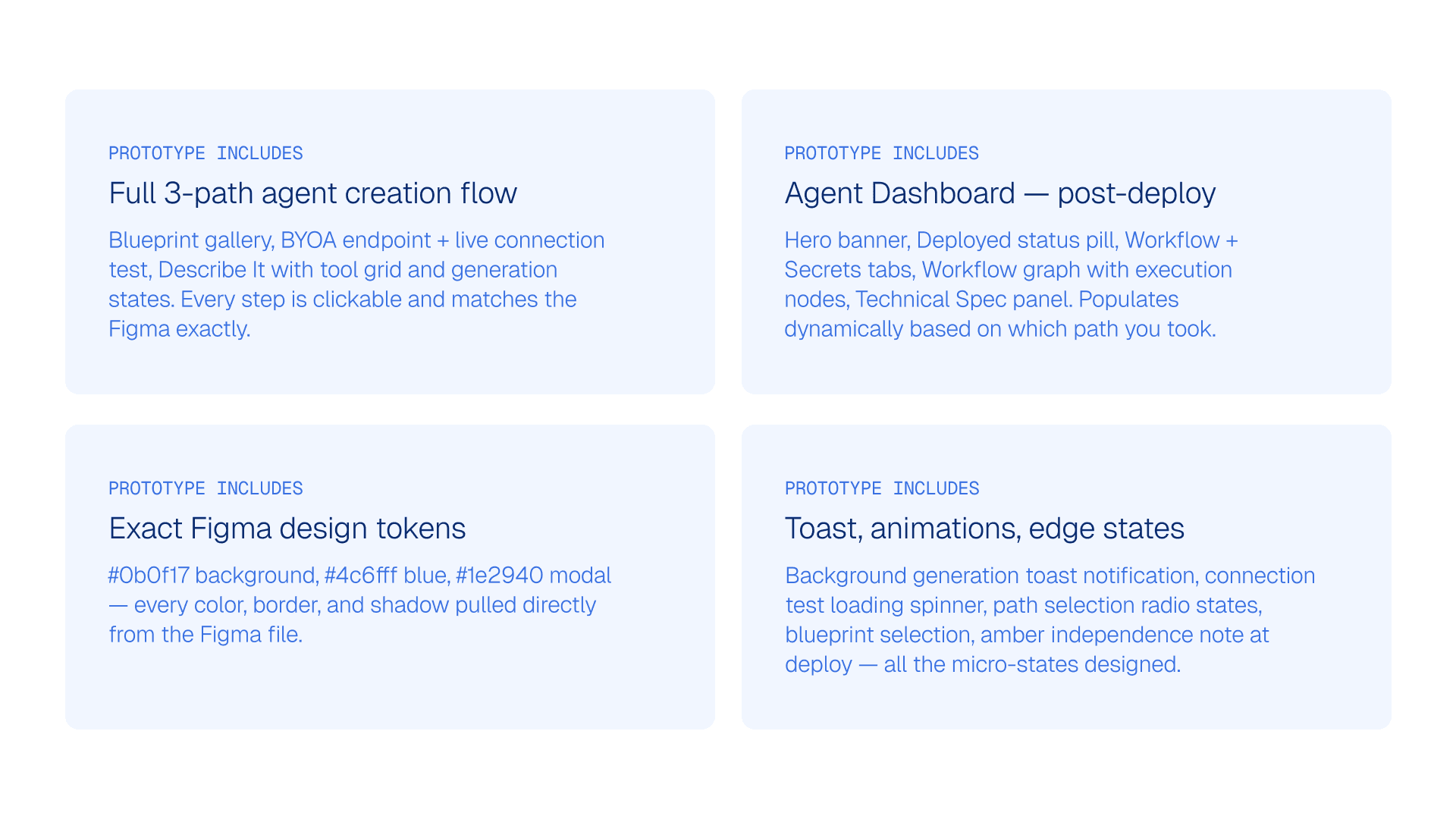
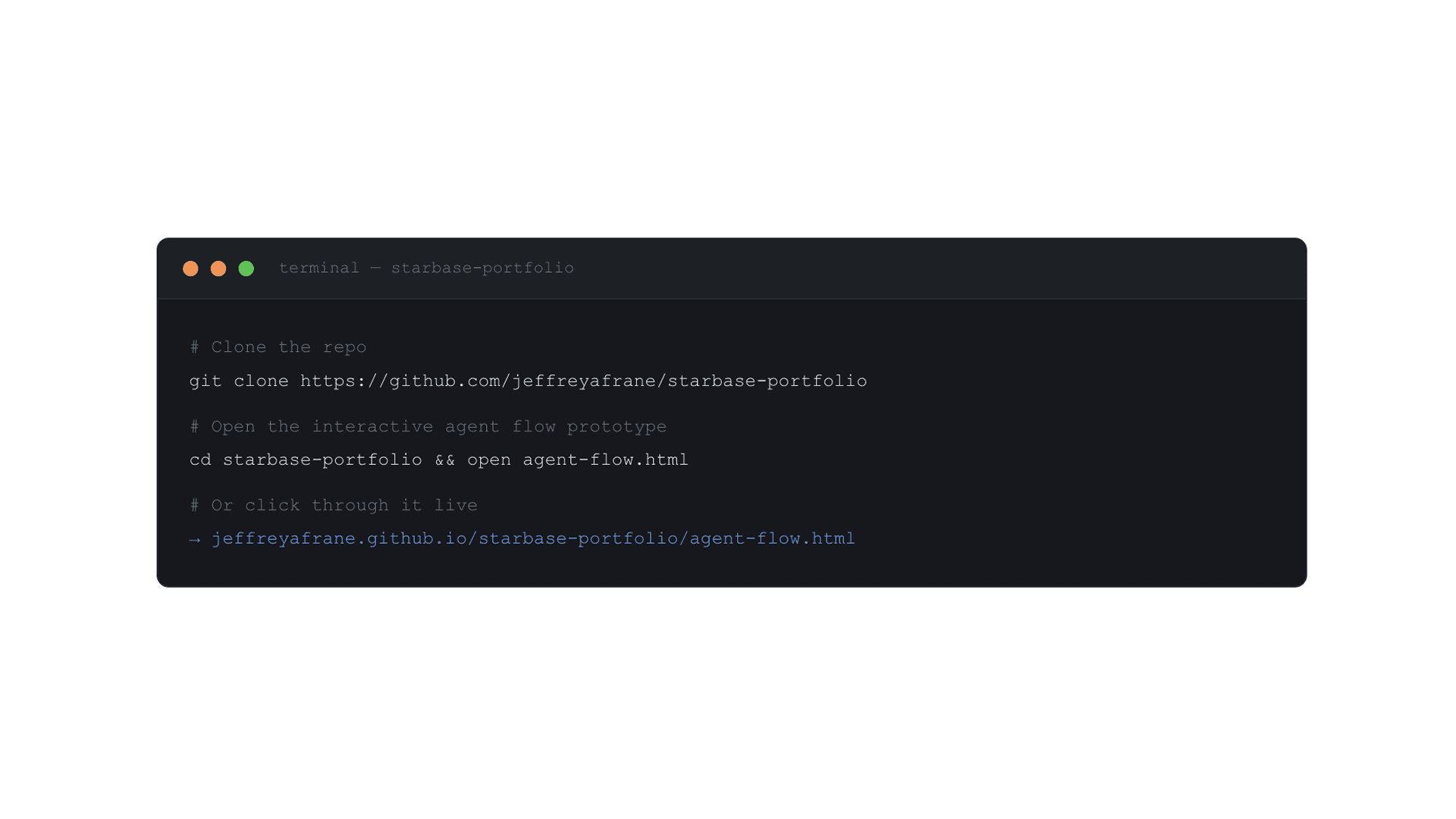
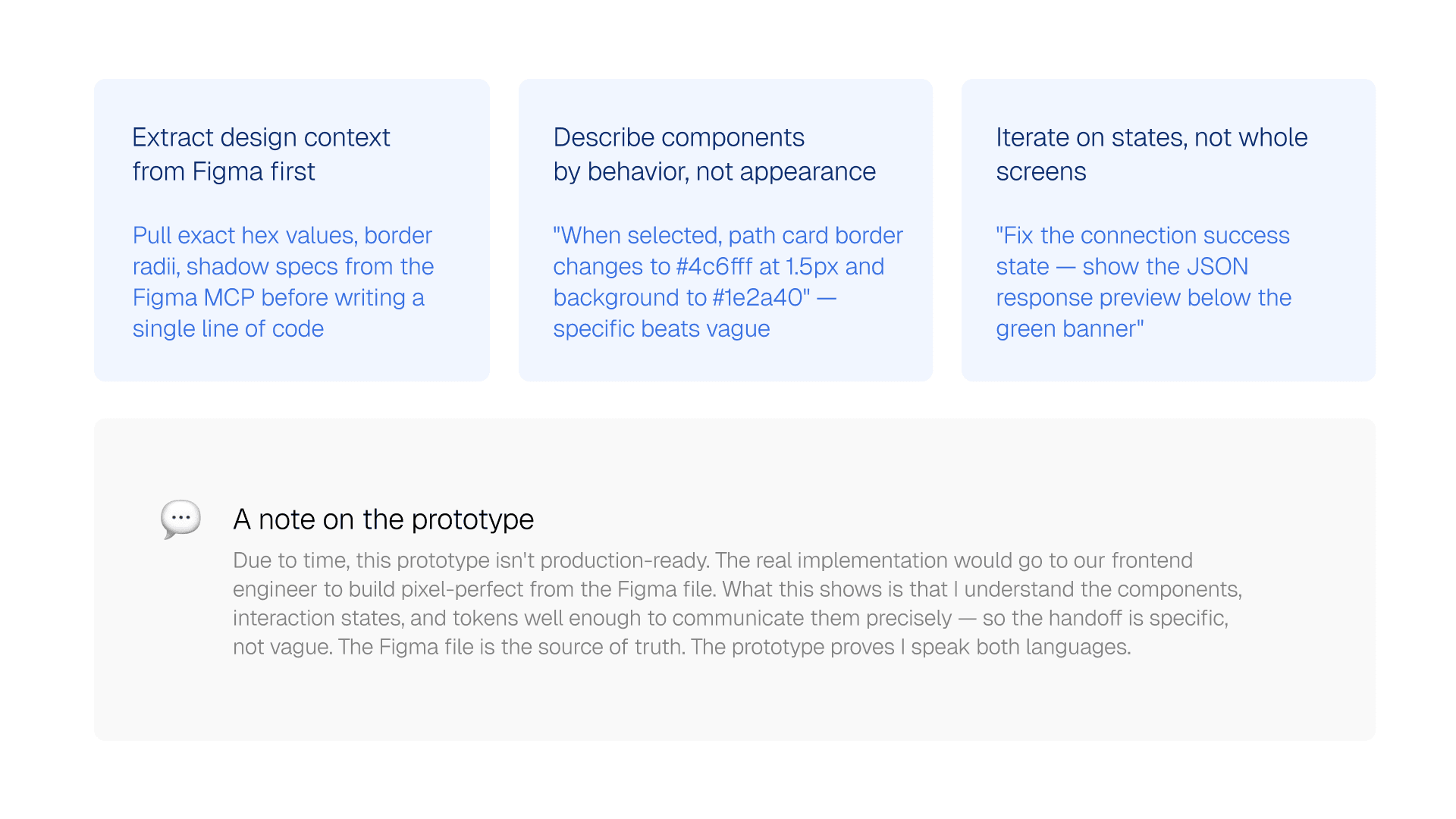
After completing the Figma screens, I used Claude to build a fully interactive, clickable prototype of the Starbase Agent Flow and Agent Dashboard — using the exact design tokens, colors, and component structure from the Figma file. The result is a shareable link the team can open on any device, click through all three creation paths, and land on a working Agent Dashboard. No Figma viewer needed. No hand-off friction.
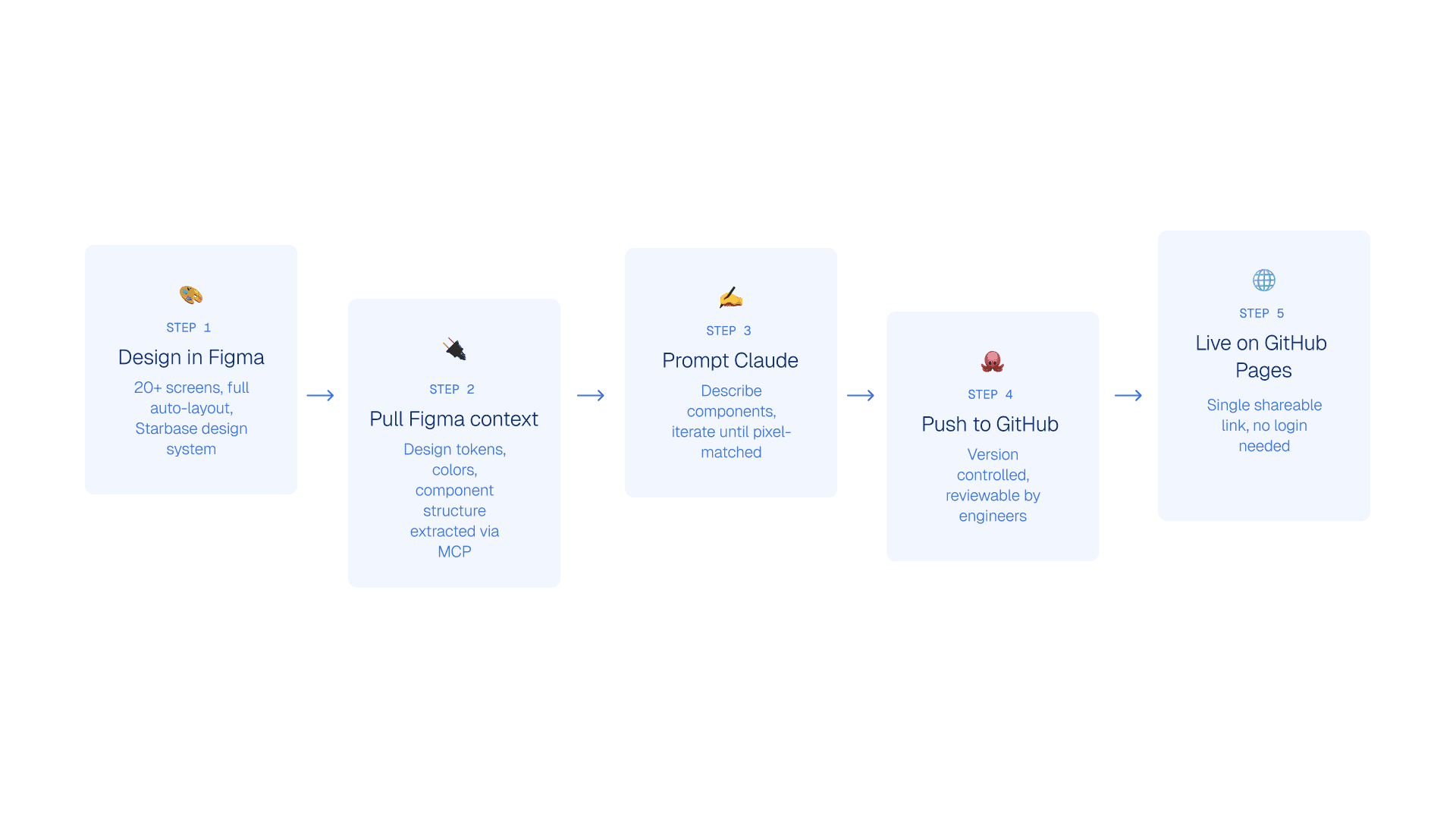
The workflow: pull design context directly from Figma → describe the component structure and tokens to Claude → generate semantic HTML and CSS → review against the Figma → iterate on specifics → push to GitHub → live on GitHub Pages.
After completing the Figma screens, I used Claude to build a fully interactive, clickable prototype of the Starbase Agent Flow and Agent Dashboard — using the exact design tokens, colors, and component structure from the Figma file. The result is a shareable link the team can open on any device, click through all three creation paths, and land on a working Agent Dashboard. No Figma viewer needed. No hand-off friction.
The workflow: pull design context directly from Figma → describe the component structure and tokens to Claude → generate semantic HTML and CSS → review against the Figma → iterate on specifics → push to GitHub → live on GitHub Pages.
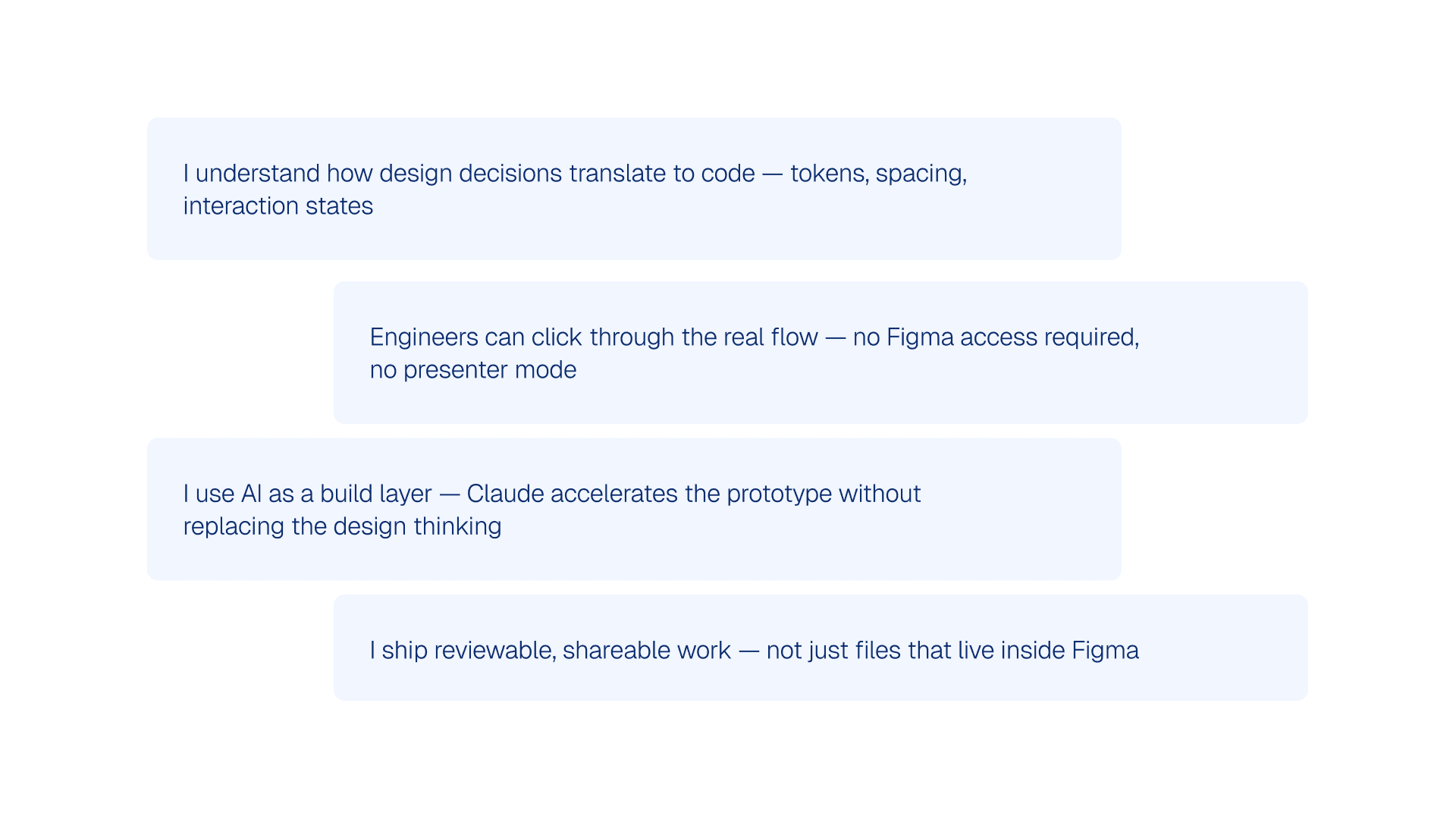
What this signals
What this signals
The prompting approach
The prompting approach
Live interactive prototype
Live interactive prototype
Click through the full agent creation flow yourself
Click through the full agent creation flow yourself
All 3 paths · Agent Dashboard · Built with Claude · Pixel-matched to Figma
All 3 paths · Agent Dashboard · Built with Claude · Pixel-matched to Figma
06 — Iteration & Testing
06 — Iteration & Testing
How the design evolved through feedback
How the design evolved through feedback
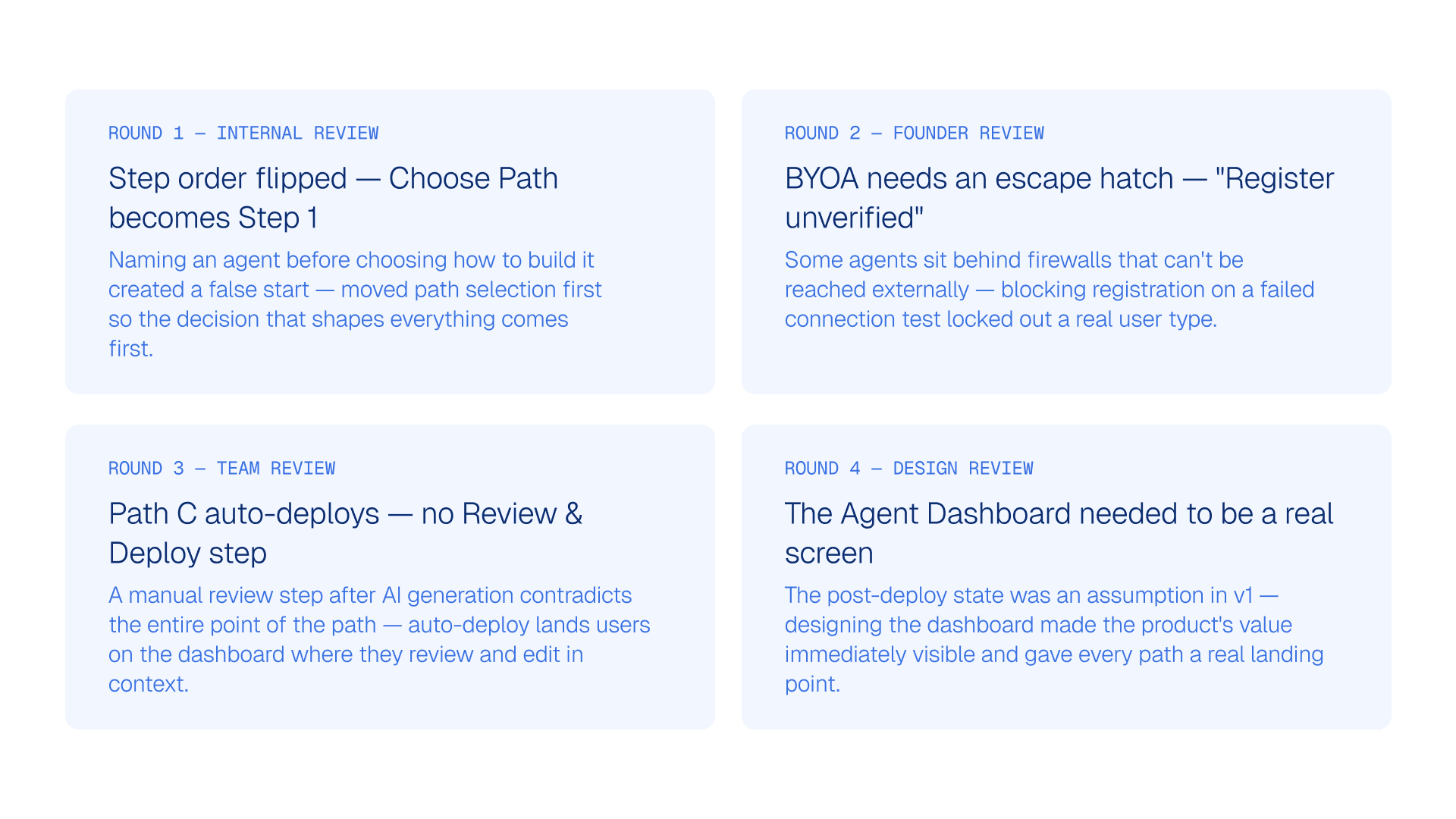
This was a sprint-paced project with tight feedback loops between design and the engineering team. Four rounds of review shaped the outcome, each one surfacing a real user need that the initial design had underserved.
This was a sprint-paced project with tight feedback loops between design and the engineering team. Four rounds of review shaped the outcome, each one surfacing a real user need that the initial design had underserved.
This was a sprint-paced project with tight feedback loops between design and the engineering team. Four rounds of review shaped the outcome, each one surfacing a real user need that the initial design had underserved.
07 — Impact & Results
07 — Impact & Results
What this redesign achieves
What this redesign achieves
This was a design sprint against a product in active development — the implementation phase is ongoing. The outcomes below reflect the architectural improvements the redesign delivers, with planned instrumentation to measure user-facing metrics post-launch
This was a design sprint against a product in active development — the implementation phase is ongoing. The outcomes below reflect the architectural improvements the redesign delivers, with planned instrumentation to measure user-facing metrics post-launch
This was a design sprint against a product in active development — the implementation phase is ongoing. The outcomes below reflect the architectural improvements the redesign delivers, with planned instrumentation to measure user-facing metrics post-launch
08 — Reflection
08 — Reflection
What I'd do differently and what I learned
What I'd do differently and what I learned